Catalog advertising sits at the junction of several vocabularies at once. There's data language from the feed world, campaign language from the ads platforms, creative language from design, and measurement language from analytics - and most documentation assumes you already speak all four.
You don't need all four fluently. You need the working subset: the terms that actually appear in error messages, settings panels, agency calls, and platform docs when you run catalog ads day to day.
That's this page. Forty terms, grouped by where you meet them, each defined in plain words. Where a term has a full article behind it, the definition stays short and the link carries the depth.
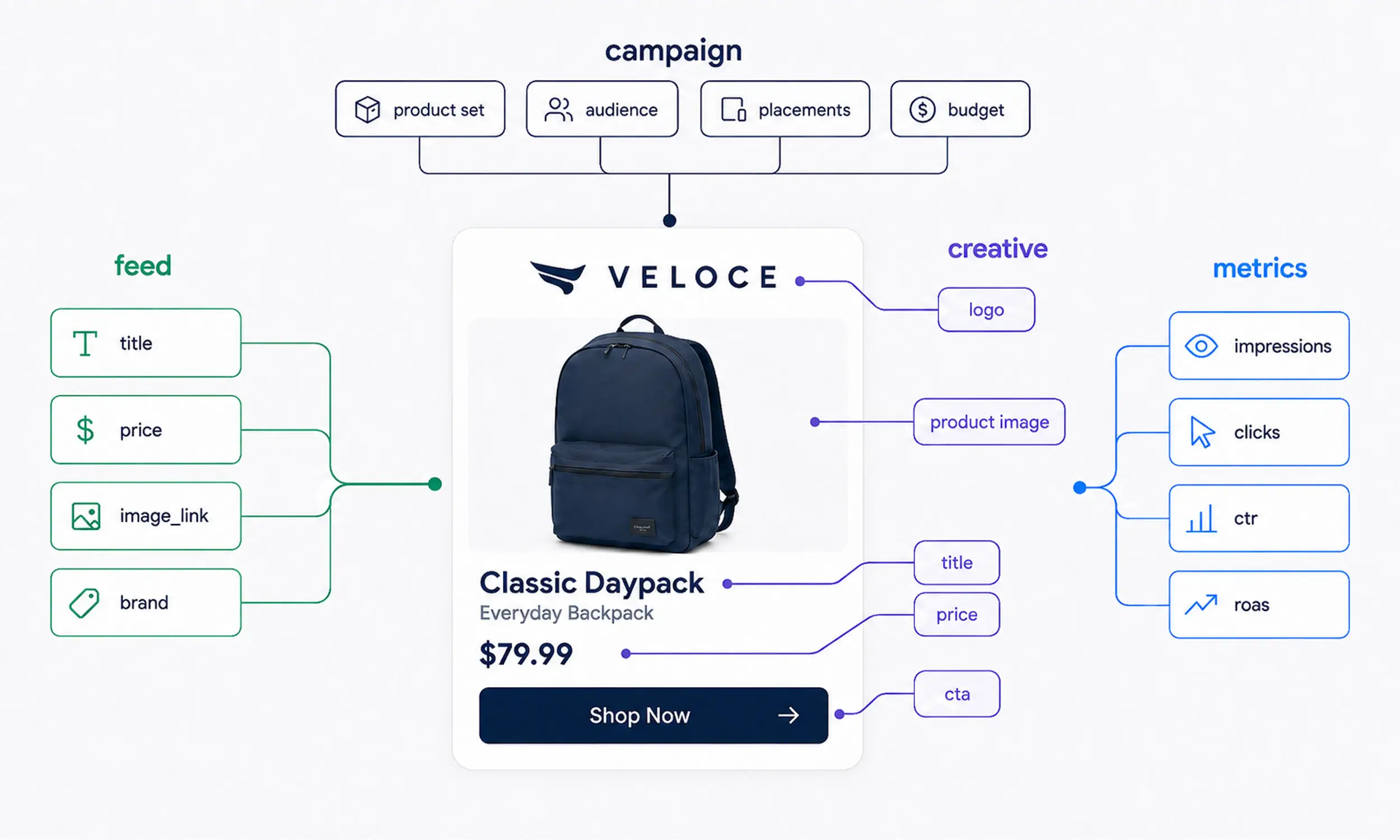
Feed and data terms
These are the terms of the data layer - the pipe that moves product information from your store to the platforms.
Product feed - the structured file or connection that carries your product data - titles, prices, images, links - from your store to an ad platform. Keeping it accurate over time is the discipline of product feed management.
Catalog - the platform-side container that holds your products once a feed delivers them. On Meta, catalogs live in Commerce Manager alongside their settings and diagnostics.
Data source - whatever fills a catalog: a scheduled feed file, a store integration, or an API connection. One catalog can draw from several.
SKU / id - the unique identifier for each product in the feed. Platforms treat it as the product's identity - change it, and the platform sees a brand-new item with no history.
GTIN - the global trade item number, usually the barcode number. It helps platforms match your listing to a known product and is often expected for branded goods.
Item group - the shared id that ties variants of one product together, so the platform knows the red shirt and the blue shirt are the same shirt.
Variants - the individual size and color versions of a product. Each is its own row in the feed, grouped under one item group id.
Availability - the in-stock or out-of-stock field. Platforms read it to stop showing products people can't buy, which makes stale availability one of the more expensive feed problems.
Sale price - the discounted price field that sits alongside the regular price. It lets platforms show a markdown - and often a strikethrough - without you editing the base price.
Custom labels - free-form feed fields you fill with your own segmentation, like margin tier, season, or bestseller status. Their whole purpose is to be used later, mostly for building product sets.
Supplementary feed - a secondary feed that layers extra or corrected fields on top of the main one, so you can improve the data without touching the source system.
Sync - how often and how reliably feed changes reach the platform. When sync lags, prices and availability drift, and the ads sell a store that no longer exists.
Feed rules - transformations applied between the source and the platform: renaming fields, rewriting titles, filtering products out. The store data stays untouched; the feed changes.
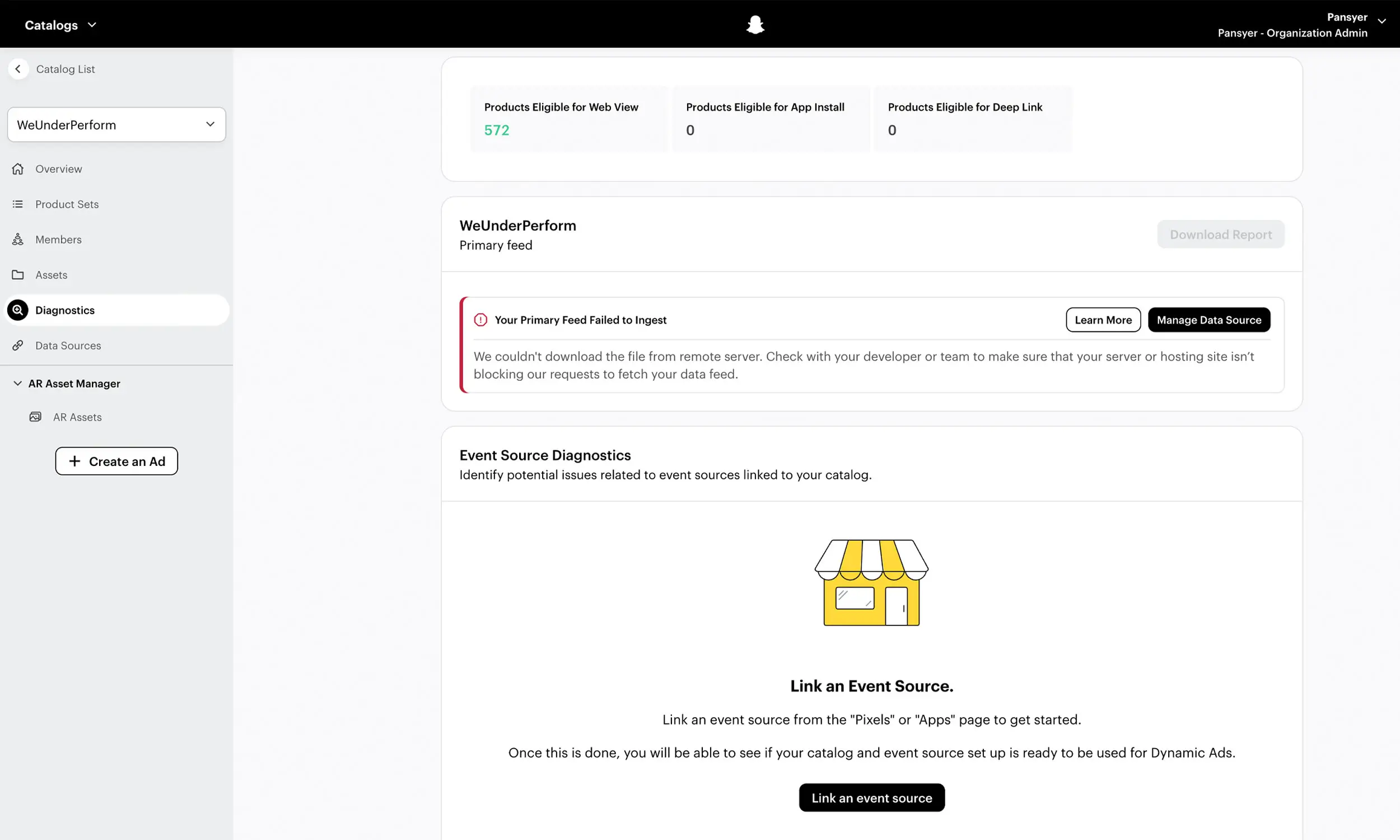
Validation - the checks a platform runs on incoming feed data, and the errors and warnings it raises when something fails. Reading those messages well is its own skill - the catalog errors guide covers it for Meta.
Campaign terms
These are the terms of the delivery layer - how catalog products become running ads.
Dynamic product ads (DPA) / Advantage+ catalog ads - two names for the same format across eras: ads generated automatically from a catalog, matched to each viewer. Dynamic product ads explained covers how the format works.
Product set - a filtered slice of a catalog - by category, price, label, or availability - that a campaign advertises. Product sets are the main lever for deciding which products run where.
Broad vs retargeting - the two audience modes of catalog campaigns: showing products to new people the platform picks, or re-showing products to people who already viewed or carted them. Most accounts run both.
Learning phase - the calibration period after a campaign launches or is significantly edited, while delivery figures out who responds. Constantly resetting it through heavy edits is a classic catalog ads mistake.
Frequency - how often the same person sees your ad over a period. Climbing frequency with flattening results is the earliest sign of creative wear.
Exclusions - the audiences or products you deliberately keep out of a campaign: recent purchasers, out-of-stock items, low-margin lines. Good exclusions are invisible; missing ones show up as wasted spend.
Lookback window - how far back in time a retargeting audience reaches - people who viewed a product within the window you set. Shorter windows mean warmer but smaller audiences.
Placement - the surfaces where an ad can appear: feeds, Stories, Reels, search results, and the rest. Each placement frames creative differently, which is why the term matters beyond media planning.
Creative terms
These are the terms of the design layer - what the products actually look like when they render as ads.
Template - a reusable design that products render through: background, price treatment, brand elements, layout. One template dresses every product it's applied to, which is the core idea behind catalog ad design.
Enrichment - the general practice of adding design and information on top of raw catalog images - prices, badges, backgrounds, branding - so ads stop looking like bare product photos. Enriched catalog ads covers the why and how.
Overlay / frame - Meta's native decoration feature: price or discount elements the platform stamps onto catalog images at delivery time. How that compares to full template rendering is the subject of frames and overlays vs templates.
Cutout / background removal - isolating the product from its photographed background so it can be placed on a designed one. It's the step that turns a supplier photo into a composable creative asset.
Aspect ratio - the shape of the creative: square, vertical, landscape. Placements expect particular shapes, and ad aspect ratios owns the details of which goes where.
Safe zone - the region of a creative that platform interface elements - buttons, captions, profile bars - won't cover. Anything important placed outside it risks being hidden on vertical placements.
Carousel - the multi-card format where each card is a product from the catalog, swipeable in sequence. It's the workhorse format in most catalog ad examples.
Slideshow - several images of the same product cycling within a single card, giving one catalog slot multiple angles. Multiple images in catalog ads covers how to feed and use them.
Collection ad - a format with a cover image or video above a product grid, opening into a fullscreen browsing experience on tap.
Dynamic media - a Meta option that lets delivery choose the media treatment per viewer - stills, slideshows, or video-like renditions - from the assets the catalog provides.
Rotation - swapping creative variants on a schedule or on performance signals, so audiences keep seeing something fresh without campaigns being rebuilt.
Ad fatigue - the decay that sets in when the same audience sees the same creative too many times. The ad fatigue guide covers spotting it and the catalog answer to it.
UGC - user-generated content: customer photos, reviews, and creator videos used as ad material. In catalog work it mostly appears as cover media or as a style templates imitate.
Measurement terms
These are the terms of the reporting layer - how you decide whether any of the above is working.
CTR - click-through rate: clicks relative to impressions. It's the first readable signal of whether a creative or product resonates, and the metric most creative tests are judged on.
ROAS - return on ad spend: attributed revenue relative to what you spent. Useful and widely used, with the caveat that it inherits every weakness of attribution.
CPA - cost per acquisition: spend relative to the conversions you count. The mirror of ROAS, favored where order values vary little.
Incrementality - the portion of results that genuinely wouldn't have happened without the ads, as opposed to sales attribution merely claimed. Harder to measure, closer to the truth.
Attribution window - how long after a click or view a conversion still counts toward the ad. Different windows produce different numbers from the same reality, which is why reports disagree.
The glossary in practice: one workflow, most of these terms
A working catalog pipeline touches nearly every section above, which is roughly what Flow is built around. A catalog imports from Meta Catalogs or a CSV/XML feed, automatic field mapping handles the id, item group, and variant plumbing, and feed validation with ongoing health monitoring surfaces the errors before the platform does.
On the creative side, templates, background removal, and brand assets do the enrichment work, product preview shows the result per placement shape, and collections group products the way product sets will use them. Synchronized updates keep sale prices and availability honest downstream - so the vocabulary in this glossary stops being reading material and becomes the parts list of one workflow.
FAQ
What's the difference between a feed and a catalog?
The feed is the moving data - the file or connection carrying product information. The catalog is the destination - the platform-side container that holds the products and powers the ads.
Are DPA and Advantage+ catalog ads the same thing?
Functionally yes: Advantage+ catalog ads is Meta's current name for the format long known as dynamic product ads. Older documentation and most practitioners still say DPA.
Which of these terms matter most when starting out?
The feed layer first - id, item group, availability, validation - because nothing downstream works if the data is wrong. Campaign and creative vocabulary become relevant the week after.
Why do overlays, frames, and templates get confused so often?
Because all three put design on top of product images and platforms name them inconsistently. The short version: overlays and frames are platform-applied decoration, templates are full pre-rendered designs.
Is there a difference between lookback window and attribution window?
Yes, and they're often mixed up: the lookback window defines who enters a retargeting audience, while the attribution window defines which conversions an ad gets credit for. One builds audiences, the other builds reports.
Final thoughts
Vocabulary sounds like a soft problem until a diagnostics panel says item group id and half the team hears noise. Most catalog advertising confusion isn't strategic - it's terminological, two people using one word for different layers of the stack.
Keep this page as the shared reference: skim the section you're weakest in, follow the links where you need mechanics, and let the deep guides do what a glossary shouldn't.
TAGS


Join The Newsletter
Stay ahead in catalog advertising
Get practical guides, product updates, new templates, and best practices for Dynamic Product Ads, creative automation, and ecommerce marketing.
On this page
Related articles



Launch catalog ads with ease
Ready to launch better catalog ads?
Turn product catalogs into publishing-ready creatives in minutes.