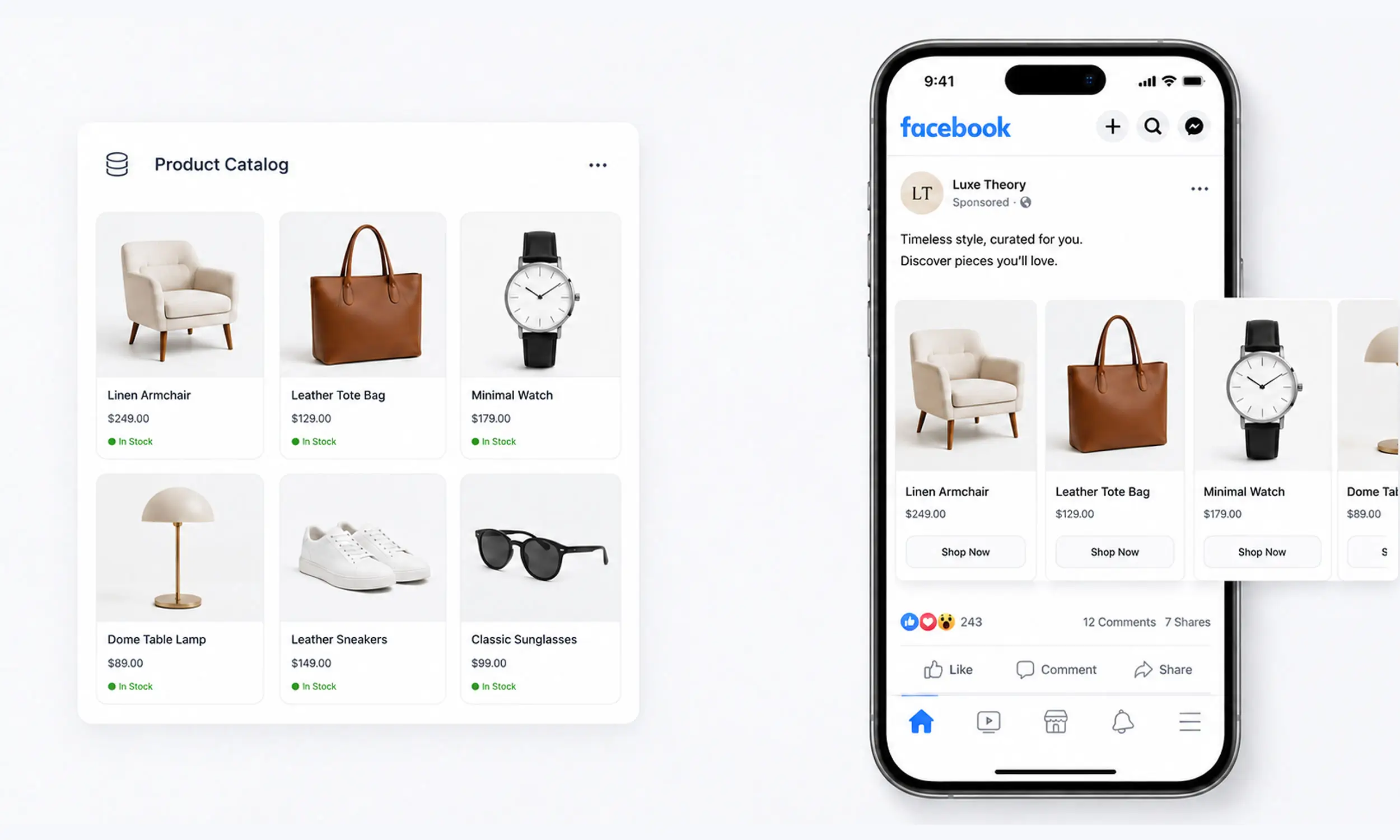
Facebook dynamic product ads show each person the products they're most likely to buy, pulled automatically from your catalog. Someone views a product on your store, and later sees that exact product - or similar ones - in their feed, with current price and availability. No individual ads created, no manual updates.
The mechanics have been around for years, but the naming and the campaign structure have changed. What advertisers still call DPA, Meta calls Advantage+ catalog ads, and the campaigns that deliver them have been consolidated into the Advantage+ campaign experience.
This guide covers how the system works today, what you need to launch, and how feed quality, event matching, campaign structure, and creative affect delivery.
What are dynamic product ads?
A dynamic product ad is a template ad connected to a product catalog. Instead of uploading images and writing copy per ad, you define the format - single image, carousel, or collection - and Meta fills it with products, prices, and links from your catalog in real time.
Delivery works in two modes:
Retargeting: show people products they viewed, added to cart, or purchased, based on pixel events from your site
Prospecting (broad audience): show relevant catalog products to people who haven't visited, based on Meta's interest and behavior signals
Because the ad content is generated per viewer, one campaign can effectively be thousands of personalized ads. If catalog ads as a concept are new to you, start with what are catalog ads.
What you need before launch
Three components, and the quality of each decides your results.
1. A product catalog
Your catalog lives in Commerce Manager and is fed by a data source - ideally a hosted feed URL on a daily schedule, not manual uploads. The required fields are id, title, description, availability, condition, price, link, image_link, and brand.
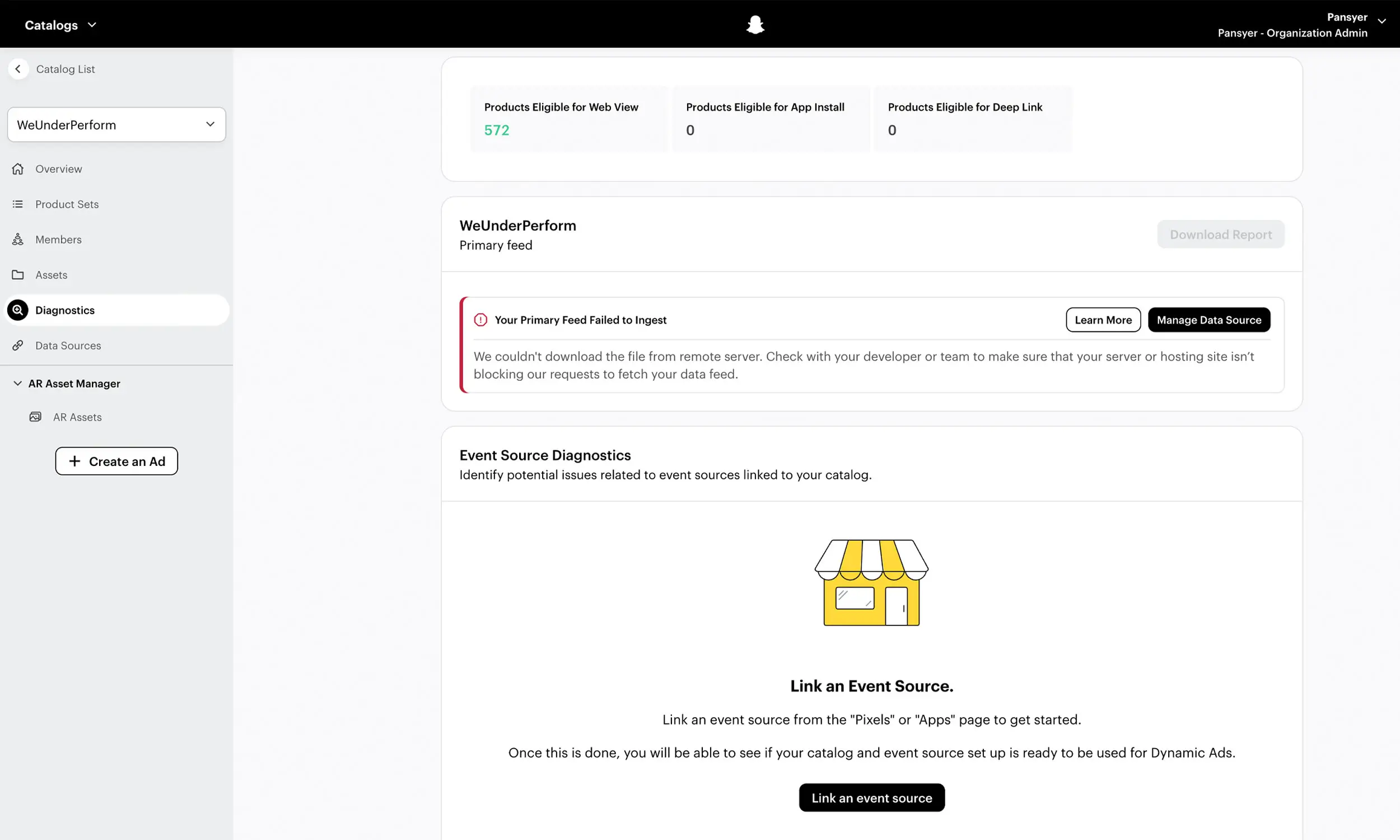
Feed quality is the ceiling on campaign quality. Rejected products can't be advertised, stale prices break trust at the landing page, and weak titles truncate mid-word. Set up the pipeline properly - product feed management covers the full workflow - and check common feed errors before you scale spend.
2. The Meta Pixel (with matching content IDs)
Retargeting depends on the pixel reporting which products people interact with. You need three events on your store:
ViewContent on product pages
AddToCart
Purchase
Each event must pass a content_id that exactly matches the id in your catalog - the match is case-sensitive. This is a critical technical check in DPA setups: events can fire while mismatched IDs reduce product matching and retargeting delivery.
Shopify and most platforms handle this automatically, but verify it: open Events Manager, check that ViewContent events carry IDs, and spot-check them against your feed.
3. Product sets
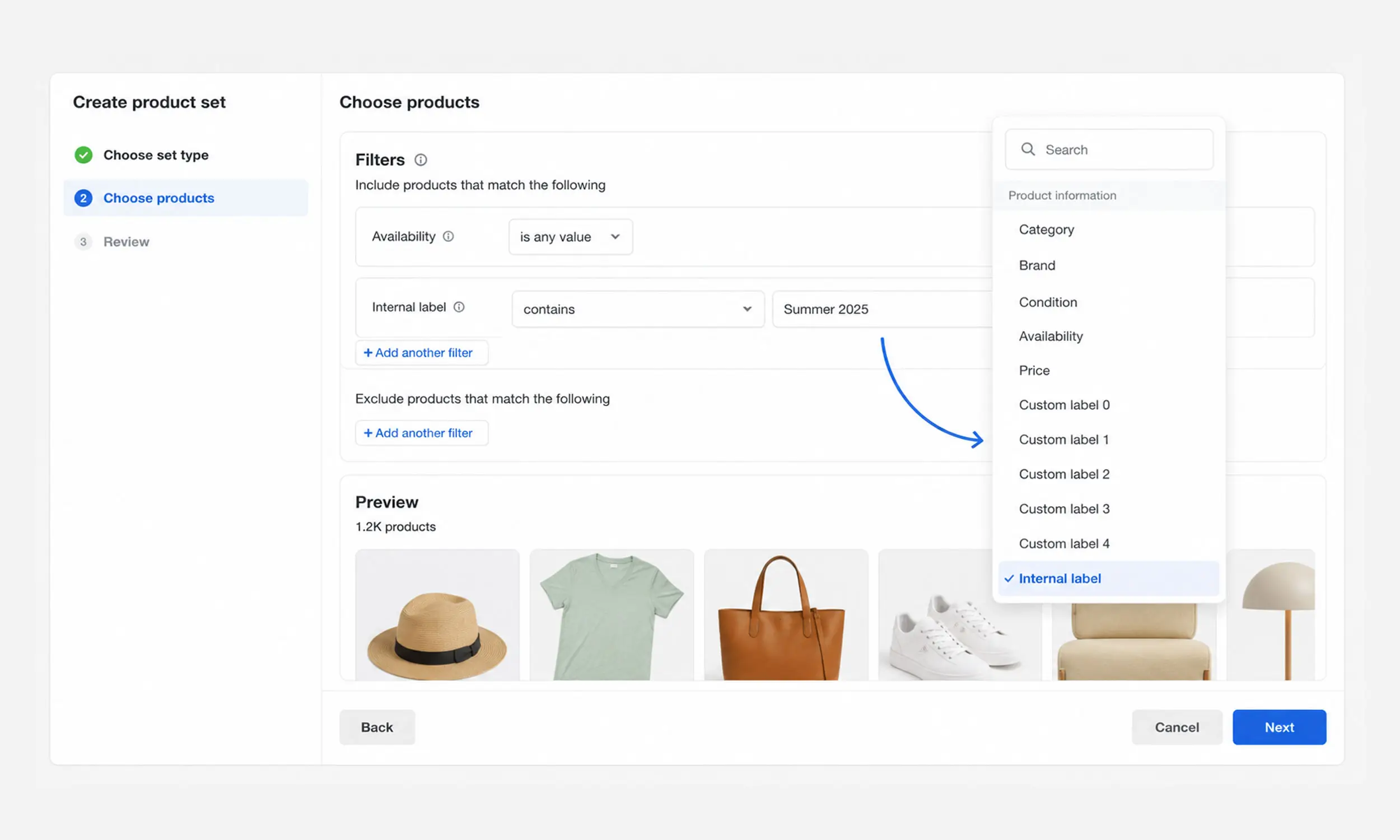
Product sets are filtered slices of your catalog - by category, price band, margin, or label - and they're what campaigns actually promote. Even if you start with "all products", build sets early:
Bestsellers for prospecting
High-margin products for aggressive bidding
Clearance excluded from prospecting entirely
Meta now recommends filtering sets by internal_label rather than custom labels, because editing custom labels re-triggers policy review on the products.
Setting up the campaign
In the current Advantage+ campaign experience, catalog ads run under the sales objective (they're also available for traffic, engagement, leads, and app promotion):
Create a sales campaign and attach your catalog, selecting the product set to promote
Choose audience mode: let Advantage+ audience run broad for prospecting, or define retargeting windows (e.g., viewed or added to cart in the last 14 days, excluding purchasers)
Pick formats: carousel is the workhorse; single image and collection have their places
Set the creative options: which fields render (price, overlays), and whether to use your enriched images
Launch, and give the system enough conversions to exit learning before judging results
Meta's own numbers explain why the consolidated setup leans broad and automated: in a 31-advertiser test, Advantage+ shopping campaigns improved cost per acquisition by 17% and ROAS by 32% versus business-as-usual campaigns, and Meta cites a 9% average improvement in cost per conversion for the current Advantage+ sales setup.
Treat those as directional, Meta-reported figures from the tested advertisers, not a guarantee. Use them as a reason to test consolidated delivery with a strong catalog against your existing setup.
Specs that matter
The specs that actually change outcomes, from Meta's image specifications:
Images: JPEG or PNG, minimum 500 x 500 pixels, 1024 x 1024 recommended, under 8 MB
Carousel consistency: keep every card in the same ratio - 1:1 or 4:5 - or Meta may auto-adjust all of them
9:16 placements (Reels, Stories): interface elements cover image edges; keep price and text in the safe area
Up to 20 additional images per product, and up to 20 product videos (each under 200 MB, 4:5 recommended) via the feed's video fields
Titles: under 65 characters render best; longer titles truncate
One operational quirk worth repeating: if you change a product image, serve it from a new URL - Meta doesn't re-fetch changed images at the same URL.
Creative: the actual competitive lever
Every store's DPA pulls from the same machinery. The targeting is Meta's; the format is Meta's; what's yours is the data and the pixels people actually see.
Default catalog ads render your website product photos. They're accurate, and they're identical to every competitor's. The fix isn't manual design - it's template-based enrichment: rendered creatives that add price, discount badges, brand framing, and campaign backgrounds, generated from the feed so they stay in sync.
That's the difference between a catalog ad that looks like a database row and one that looks like a campaign. Under The Sun applied campaign-ready catalog creative across 1,500+ products with one reusable template system and no per-product editing.
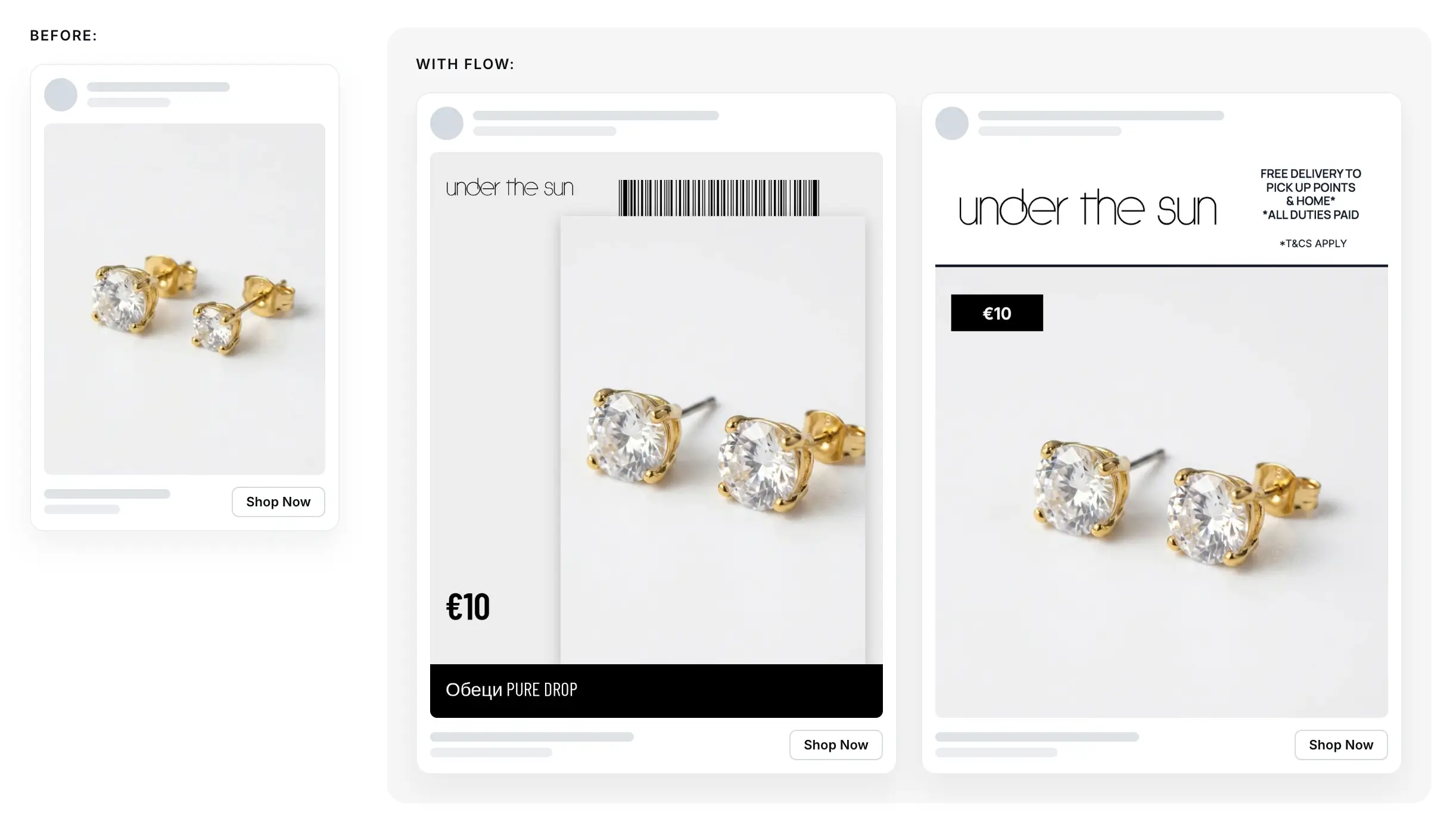
Example of a Meta carousel ad by Under the Sun
Best practices
Feed first. Daily syncs minimum, clean titles, valid identifiers, no rejected products. Everything else builds on this.
Verify pixel-catalog matching before spending. Events Manager → check content_ids against feed ids, case-sensitively.
Separate retargeting and prospecting campaigns. Different intent, different messaging, different expectations for ROAS.
Exclude recent purchasers from retargeting windows.
Use sale price fields for promotions. The strikethrough-plus-sale-price render is a clear, scalable treatment to test during promotions.
Segment by margin with internal labels. Bid on profit, not just revenue.
Refresh creative by rotating templates when frequency climbs and CTR decays - not by pausing the campaign.
Give learning phase room. Judge after conversions accumulate, not after 48 hours.
Troubleshooting quick hits
Ads not delivering: check for rejected products in the set, a paused feed schedule, or an unbound pixel - the full walkthrough is in product feed errors
Retargeting volume near zero: first check for a
content_idmismatch, then audience size, pixel health, product approval, and stock statusWrong prices showing: feed lag; sync more often, and keep sale prices in
sale_priceOld images showing: image changed at the same URL - version the URL
Connecting the catalog and creative layers
In the three-part DPA system above, Flow supports two parts: the catalog and the creative it supplies. Product data can be imported, mapped, validated, and kept synchronized, while reusable templates turn that same data into reviewed format variations.
The signal layer still belongs to Meta and your site. Pixel implementation, content_id matching, audience eligibility, campaign setup, and Commerce Manager diagnostics must be verified there; Flow can improve the inputs, but it cannot repair a broken event join from outside the platform.
FAQ
Are dynamic product ads the same as Advantage+ catalog ads?
Yes. Advantage+ catalog ads is Meta's current name for catalog-based dynamic ads; "dynamic product ads" and "DPA" are the historical names most advertisers still use.
Do I need the Meta Pixel for catalog ads?
For retargeting, yes - with ViewContent, AddToCart, and Purchase events passing content IDs that match your catalog IDs exactly. Prospecting with broad audiences works from the catalog alone, but the pixel improves optimization for both.
Why are my dynamic ads showing the wrong price?
Your feed may be out of sync with your store. Check the catalog diagnostics and landing page, increase sync frequency where needed, and use sale_price plus an effective date for scheduled promotions instead of overwriting the regular price.
Carousel or single image for DPA?
Carousel is a practical starting format because it can show multiple products, each with its own price and link. Test single image, video, and collection formats against it per product set; no format is a universal winner.
How many products do I need?
Meta does not publish a universal minimum catalog size for these ads. Sets need enough eligible products for delivery to personalize; small catalogs can still separate full-price and sale items when that split supports different budgets or creative, then validate the structure in their own results.
Final thoughts
Dynamic product ads are the most automated ad format Meta offers, which is exactly why the inputs matter so much: the feed decides what can show, the pixel decides who sees it, and the creative decides whether anyone cares.
Get the data pipeline right, verify the matching, and put your effort where competitors don't - templates that make a thousand automated ads look designed.


Join The Newsletter
Stay ahead in catalog advertising
Get practical guides, product updates, new templates, and best practices for Dynamic Product Ads, creative automation, and ecommerce marketing.
On this page
Related articles



Launch catalog ads with ease
Ready to launch better catalog ads?
Turn product catalogs into publishing-ready creatives in minutes.