Every catalog ad, Shopping listing, and dynamic product ad starts in the same place: a product feed. When the feed is accurate, campaigns launch faster, products stay approved, and ads always show the right price. When it isn't, products get rejected, prices go stale, and budget is spent promoting items that are out of stock.
Product feed management is the work of keeping that data correct, complete, and synchronized across every platform you advertise on. For a store with 50 products it can be a spreadsheet. For a store with 5,000, it has to be a system.
This guide covers how feeds work, what each platform actually requires in 2026, and how to build a feed workflow that scales with your catalog.
What is product feed management?
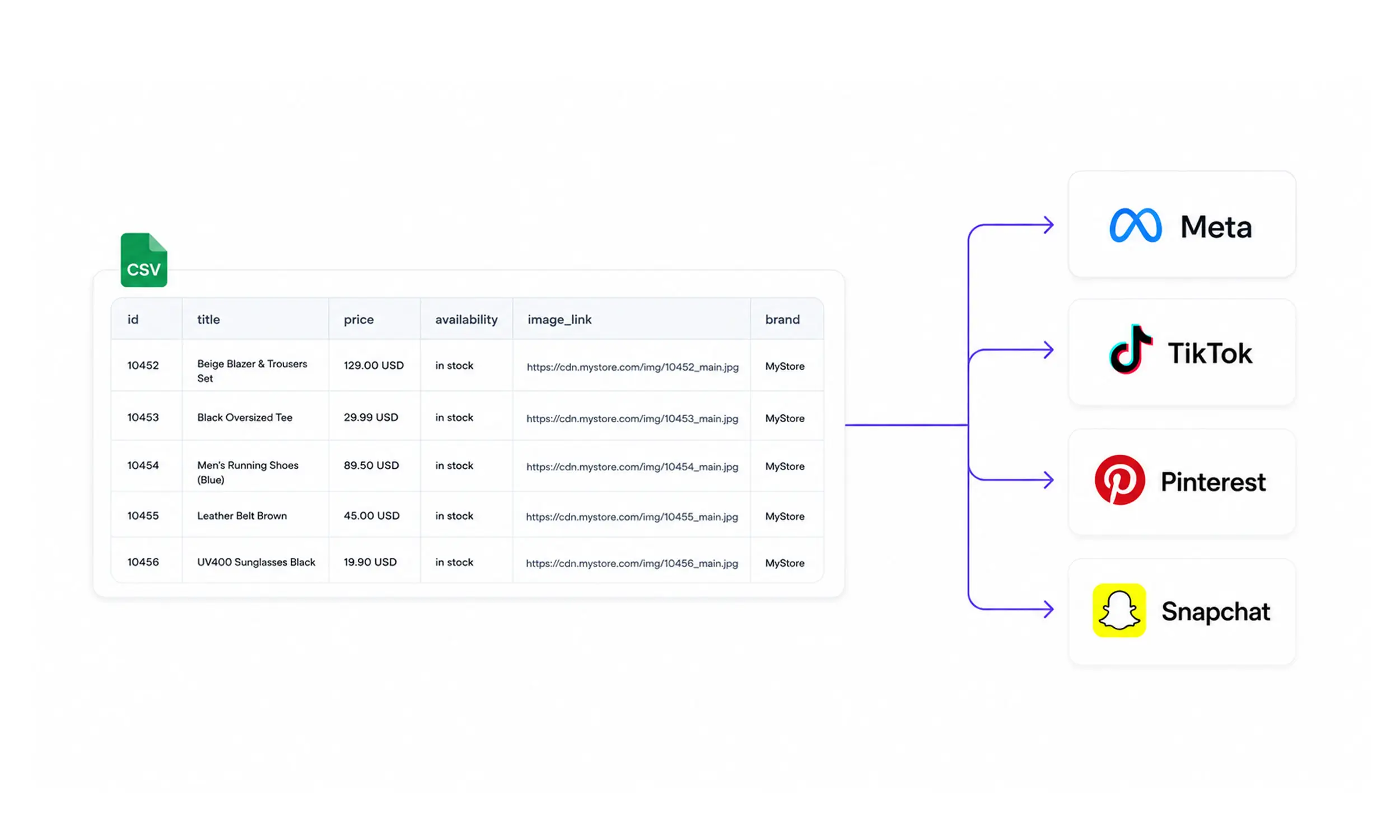
A product feed is a structured file (CSV, XML, or similar) that lists your products and their attributes: titles, descriptions, prices, availability, images, and links. Advertising platforms ingest this file to build catalog ads, Shopping listings, and retargeting campaigns automatically.
Product feed management is everything that happens around that file:
Generating it from your store data
Mapping and transforming attributes to each platform's specification
Validating it against platform rules before upload
Scheduling regular syncs so prices and stock stay current
Monitoring errors and fixing rejected products
Segmenting products into sets and groups for campaigns
The distinction matters because the feed itself is never finished. Prices change, products sell out, new items launch. Feed management is an ongoing process, not a one-time export.
Why feed quality decides ad performance
Platforms don't just display your feed data - they use it to decide when your ads show and to whom. Weak titles reduce matching for search-driven surfaces. Missing identifiers limit distribution. Mismatched prices get products disapproved entirely.
The downstream effect on buyers is measurable. In Salsify's 2025 consumer research, 54% of shoppers said they abandoned a purchase because product information was inconsistent across channels, and 71% have returned products because of incorrect product content.
The channels themselves keep growing. US social commerce passed $87 billion in 2025 and is projected to top $100 billion in 2026, according to eMarketer. Every one of those transactions starts with product data someone's feed delivered correctly.
The anatomy of a product feed
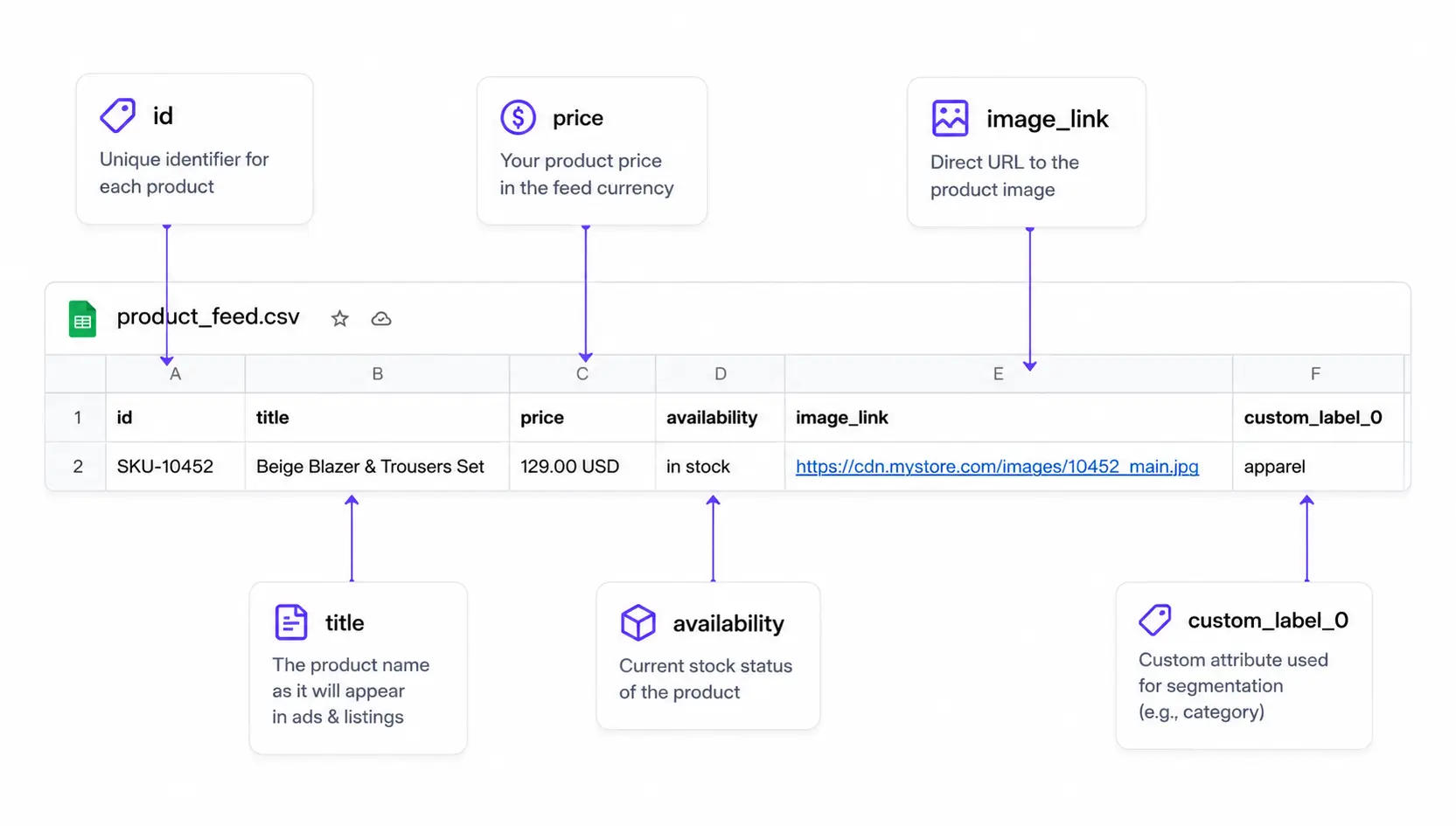
Most platforms share a common core of fields. A typical product row contains:
A unique ID (your SKU)
Title and description
Price, and optionally a sale price with effective dates
Availability (in stock / out of stock)
Condition
Landing page link
Image link, plus additional images
Brand, GTIN, or MPN identifiers
Category fields (Google product category, product type)
Variant grouping (item group ID, color, size, gender)
Custom labels for segmentation
The universal rule across every platform: what's in the feed must match what's on the landing page. Price and availability mismatches are the most common reason products get taken down, on every platform.
How each platform reads your feed
The core fields look similar everywhere, but the details differ enough to break a naive one-feed-for-all export. This is where most feed problems start.
Meta (Facebook and Instagram)
Meta catalogs power Advantage+ catalog ads and Shops. The current specification requires id, title, description, availability, condition, price, link, image_link, and brand.
Details worth knowing:
Availability has only two ad-relevant values:
in stockandout of stock. Out-of-stock items are excluded from ads automatically.Price format is strict:
9.99 USD- a number, a space, and the ISO currency code.Images must be JPEG or PNG, at least 500 x 500 pixels, under 8 MB. If you replace an image, it needs a new URL, or Meta won't re-fetch it.
You can now provide up to 20 additional images per product and up to 20 product videos - more than most guides still report.
Meta now recommends
internal_labelinstead of custom labels for filtering product sets, because editing custom labels re-triggers policy review and can affect delivery.
TikTok
TikTok Catalog Ads use a 9-field required set: sku_id, title, description, availability, condition, price, link, image_link, and brand.
Differences from Meta:
Availability is richer:
in stock,available for order,preorder,out of stock, anddiscontinued.Image URLs must end in
.jpegor.png, at minimum 500 x 500 pixels. Sub-spec images fail review.TikTok flags feeds that haven't been updated in 7 days, and freezes catalogs with no ad activity for 28 days. Freshness is enforced, not just recommended.
See how TikTok Catalog Ads use this data in practice.
Pinterest catalogs have the shortest required list of the major platforms: seven fields - id, title, description, link, image_link, price, and availability - plus item_group_id when products have variants. Condition and brand are optional.
Pinterest-specific rules worth knowing:
Feeds ingest once every 24 hours with no on-demand refresh - time price changes with that lag in mind.
Product links must live on your claimed domain, or items fail ingestion.
The grid is portrait: 2:3 images at 1000 x 1500 pixels are the recommendation, not squares.
Pinterest can display ratings from
average_review_ratingandnumber_of_reviews- fields almost nobody fills.
Snapchat
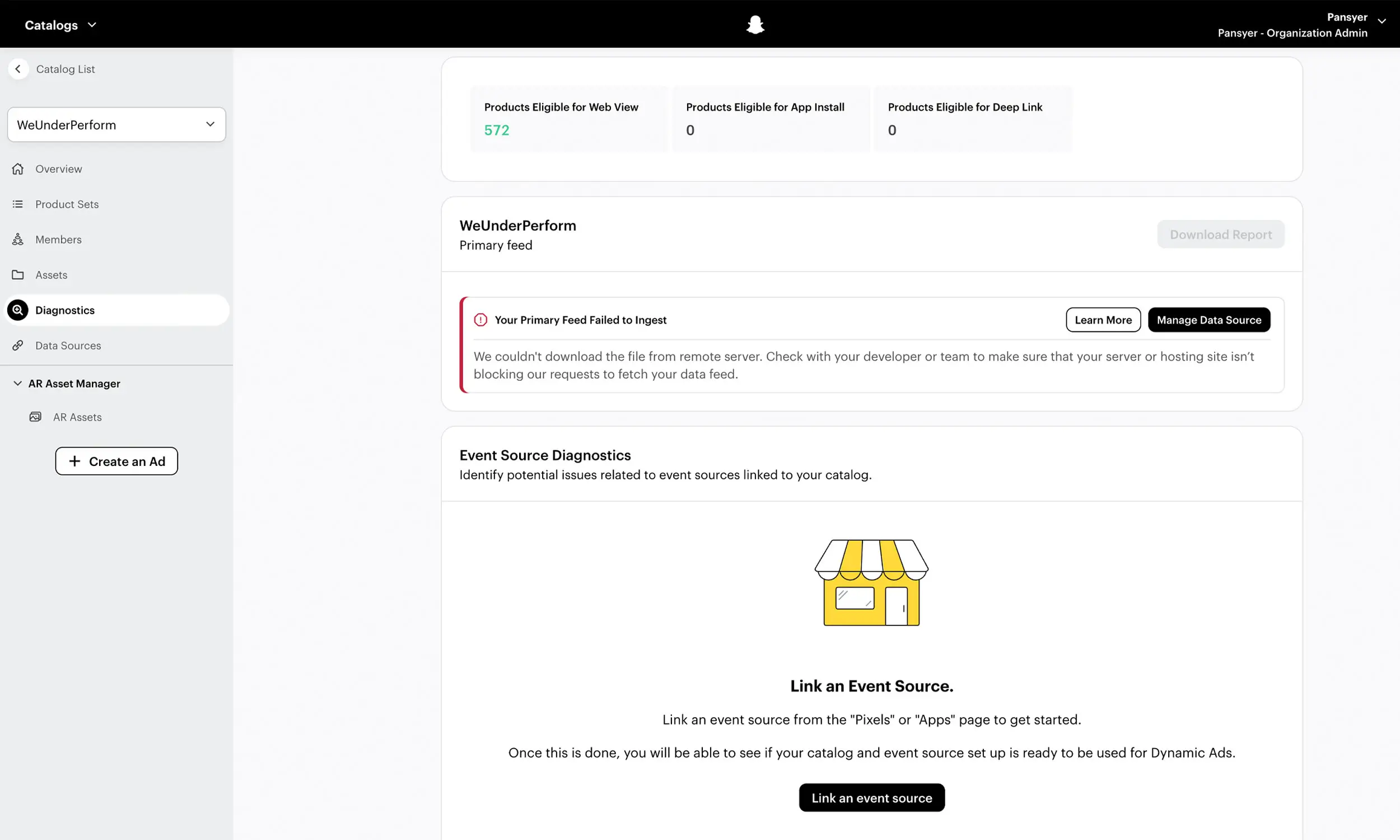
Snapchat Dynamic Ads run from catalogs in Snapchat Ads Manager, built on the same core field pattern as the other platforms - unique ID, title, description, price, availability, link, and image. If your Meta feed is clean, Snapchat is a mapping exercise rather than a new build; treat it as a fourth output of the same source catalog.
Other destinations: Google Shopping
The same catalog can also feed Google Merchant Center, with two cautions if you go there: Google's minimum image size is now a unified 500 x 500 pixels with enforcement from January 31, 2027, and Google crawls landing pages against the feed - a mismatched price disapproves the product, and repeated mismatches can suspend the account. Google also prohibits promotional overlays on Shopping images, so keep its image pipeline clean even where you enrich creative for social platforms.
Requirement | Meta | TikTok | Snapchat | |
|---|---|---|---|---|
Required fields |
At least one of: |
|
|
At least one of: |
Availability values |
|
|
|
|
Minimum main image | 500 × 500 px JPEG or PNG Under 8 MB | 500 × 500 px JPEG or PNG | 1000 × 1500 px Main product image 75 × 75 px Additional images | 200 × 200 px JPEG or PNG |
Price format |
|
|
|
|
Condition values |
|
| Not a core required field |
|
Important difference | Product identifier required through at least one of |
| Does not require | Product identifier rule matches Meta: one of |
Feed formats and delivery
All the major platforms accept the common file formats, with some differences:
Meta: CSV, TSV, XLSX, Google Sheets, and XML (RSS/ATOM). One-time uploads up to 100 MB; scheduled feeds up to 4 GB.
TikTok: CSV, TSV, XML, including zipped files.
Pinterest: CSV, TSV, XML (RSS/ATOM), and Google Sheets; compressed files accepted, Dropbox links and password-protected files not.
Snapchat: file uploads and hosted feeds managed in Ads Manager's catalog section.
For anything beyond a trial, use a hosted feed URL with scheduled fetch rather than manual uploads. Every platform can pull a feed from an https:// (or SFTP) URL on a schedule, which means your feed updates without anyone touching an ads manager - and on Pinterest, manual uploads actively decay (they stop serving ads after 90 days).
Meta also supports supplementary feeds: a second file, matched by product ID, that overrides specific fields of your primary feed - the clean way to layer on custom labels or improved titles without regenerating the main export (they can't change price, availability, or quantity, and can't add or delete products). Pinterest has the same concept as supplemental data sources.
Keeping feeds fresh
A feed is only as good as its last sync. Three failure modes show up constantly:
Stale prices. You run a sale, the site updates, the feed doesn't. TikTok (and Google, if you feed it) crawl your pages and disapprove mismatched products mid-sale - exactly when traffic peaks.
Stale stock. Sold-out products keep spending budget, or back-in-stock products stay invisible.
Stale feeds entirely. Scheduled fetches fail silently (moved URL, server error, auth change) and nobody notices for a week. Meta pauses repeatedly failing schedules; TikTok starts flagging at day 7; Pinterest expects data current within 7 days under its merchant guidelines.
Practical defaults that prevent most of this:
Sync at least daily; more often during sales periods
Alert on fetch failures, not just on feed errors
Use
sale_priceandsale_price_effective_datefields instead of editing base prices for promotionsKeep structured data (schema.org price and availability) on product pages accurate - it's what platform crawlers compare your feed against
Feed rules: fixing data without touching your store
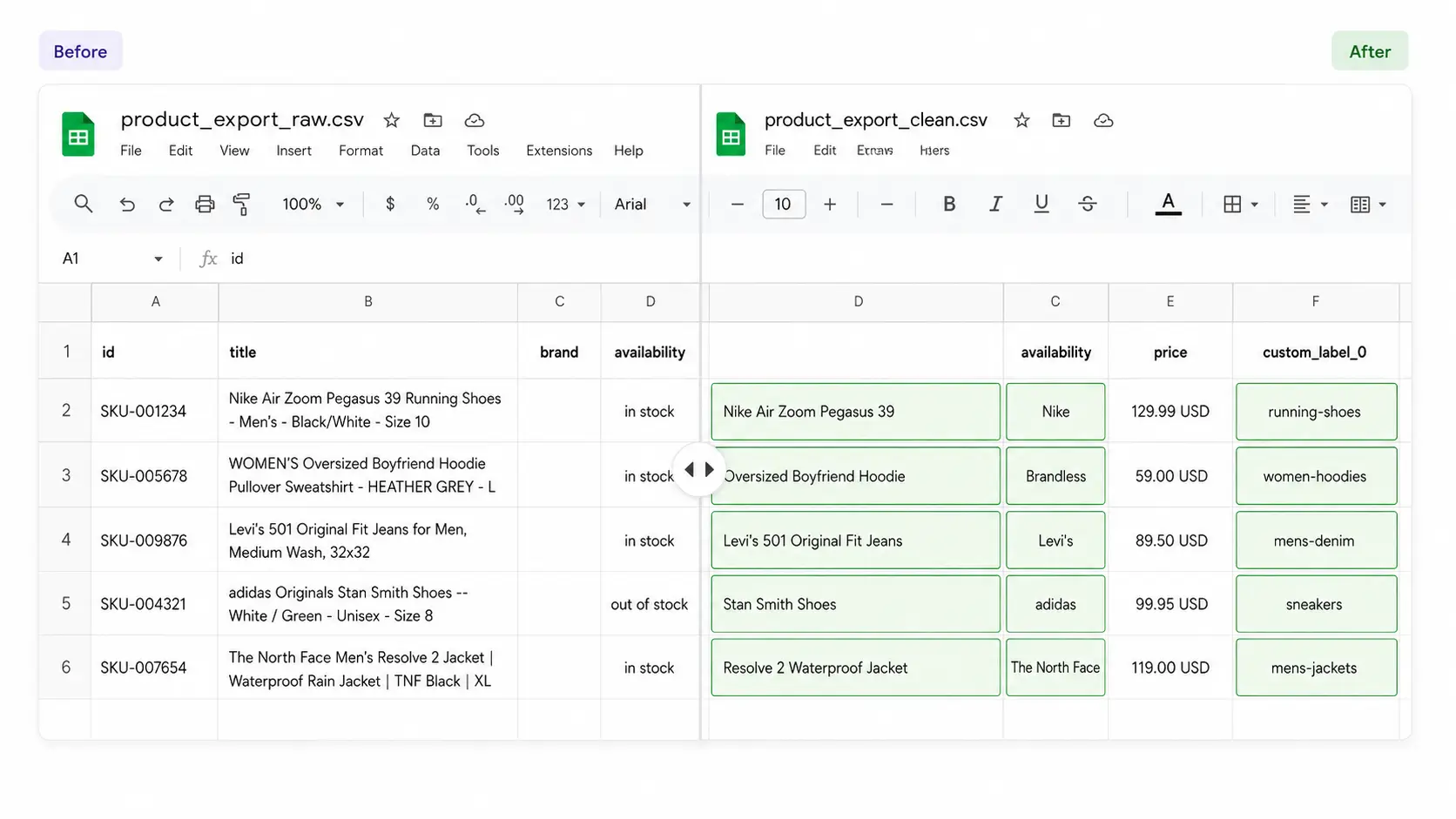
The data in your store was written for product pages, not for ad platforms. Titles are too long or too short, brand fields are empty, categories don't map to Google's taxonomy. Fixing this at the source is slow and often impossible - the product team owns the store data.
Feed rules solve this at the feed layer. A rules engine transforms data between your store and each platform:
Normalize titles (brand first, key attribute included, under 65 characters for Meta so they don't truncate)
Fill missing brand fields from a default or another attribute
Map your categories to
google_product_categoryvaluesSet availability based on inventory thresholds, not just zero stock
Generate custom labels from margin, price bands, season, or bestseller status
Those labels then power segmentation: product sets on Meta, product groups elsewhere, so you can bid differently on high-margin items or exclude clearance from prospecting campaigns.
A feed workflow that scales
Put together, mature feed management looks like this:
One source of truth: your store catalog (Shopify, WooCommerce, or your platform of choice)
Per-platform feed generation with field mapping and rules - never one generic file for all destinations
Pre-upload validation against each platform's current spec
Hosted feed URLs with scheduled fetch, synced at least daily
Error monitoring with alerts, reviewed on a fixed cadence
Segmentation labels maintained by rules, not by hand
A quarterly spec review - platforms change requirements every year (Google's 2026 update added new fields and image rules; Meta's recommendations shift too)
Teams that follow this spend their time on campaigns and creative. Teams that don't spend it re-uploading CSVs and appealing rejections.
How Flow fits into the workflow
Flow manages the creative half of this pipeline and keeps it synchronized with the data half. Product catalogs are imported from Meta Catalogs or CSV/XML feeds, checked against platform requirements, and combined with reusable templates so every product gets advertising-ready visuals - without touching the images on your store.
When the feed updates, both the product data and the rendered creatives update with it. That's what makes scale practical: Paolo Botticelli kept Summer Sale creatives consistent across 4,000+ products by letting templates follow the feed instead of redesigning items one by one.
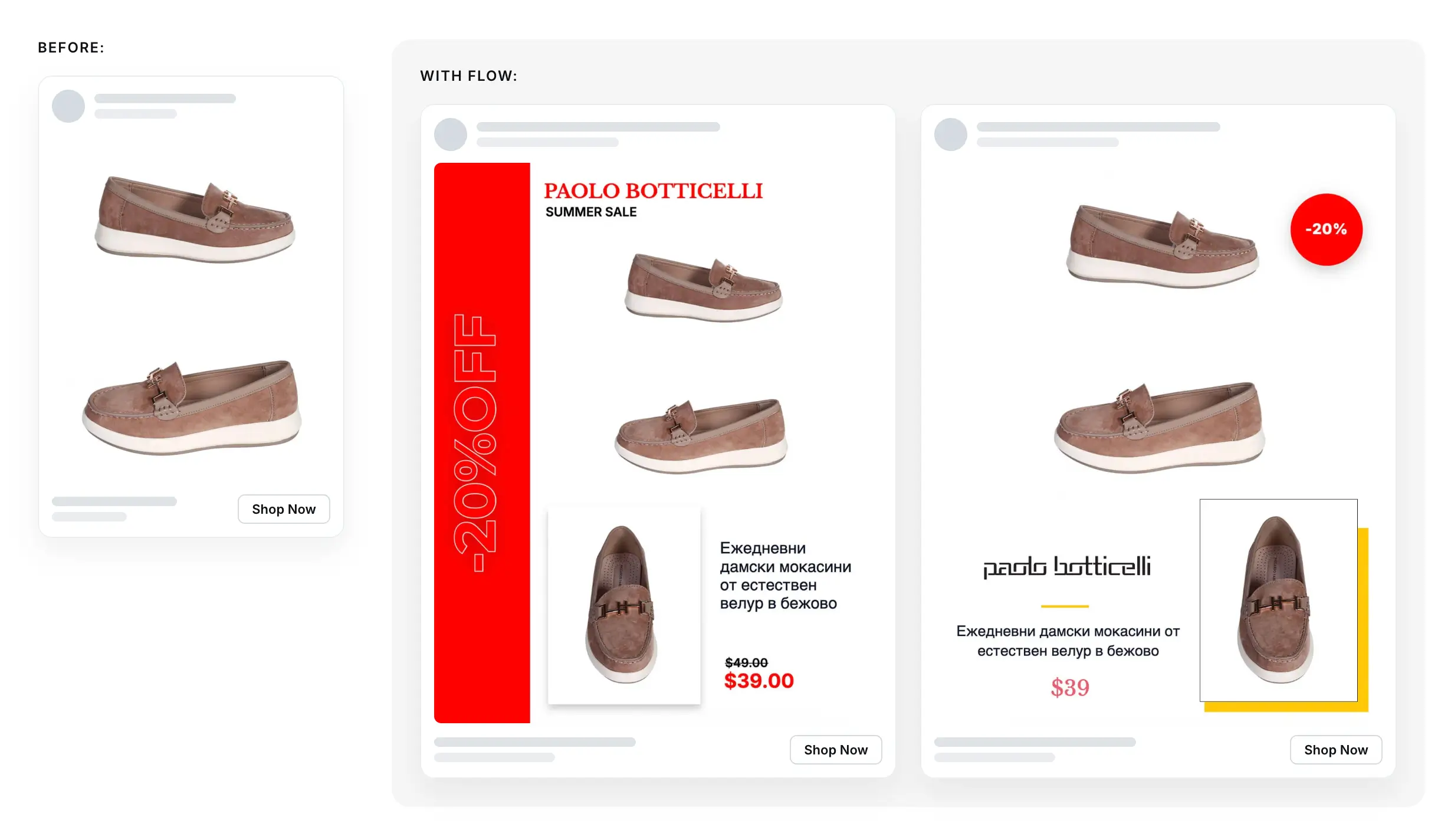
Example of a Meta carousel ad by Paolo Botticelli
FAQ
What is a product feed in ecommerce?
A structured file listing your products and their attributes - titles, prices, availability, images, links - that advertising platforms ingest to create catalog ads and shopping listings automatically.
How often should a product feed sync?
At least once a day, and more often during sales. TikTok flags feeds older than 7 days, and Google disapproves products whose feed price doesn't match the landing page.
Do I need a separate feed for each platform?
You need one source catalog, but per-platform outputs. Required fields, availability values, price formats, and image rules differ between Meta, TikTok, and Google, so a single generic file will generate avoidable errors.
What are custom labels for?
Segmentation. Labels like margin band, season, or bestseller status let you build product sets and bid differently on different parts of your catalog. On Meta, prefer internal_label for filtering - editing custom labels can re-trigger policy review.
What's the most common feed error?
Price and availability mismatches between the feed and the landing page. Every major platform checks for them, and Google actively crawls your pages to compare
Final thoughts
Product feed management isn't glamorous, but it's the foundation everything else stands on. The best campaign structure and the best creative both lose to a disapproved product or a wrong price.
Get the basics right (per-platform mapping, daily syncs, validation before upload, monitoring after) and your catalog becomes an asset you launch campaigns from in minutes. Combine accurate data with reusable creative templates, and the whole pipeline scales without the team scaling with it.


Join The Newsletter
Stay ahead in catalog advertising
Get practical guides, product updates, new templates, and best practices for Dynamic Product Ads, creative automation, and ecommerce marketing.
On this page
Related articles



Launch catalog ads with ease
Ready to launch better catalog ads?
Turn product catalogs into publishing-ready creatives in minutes.