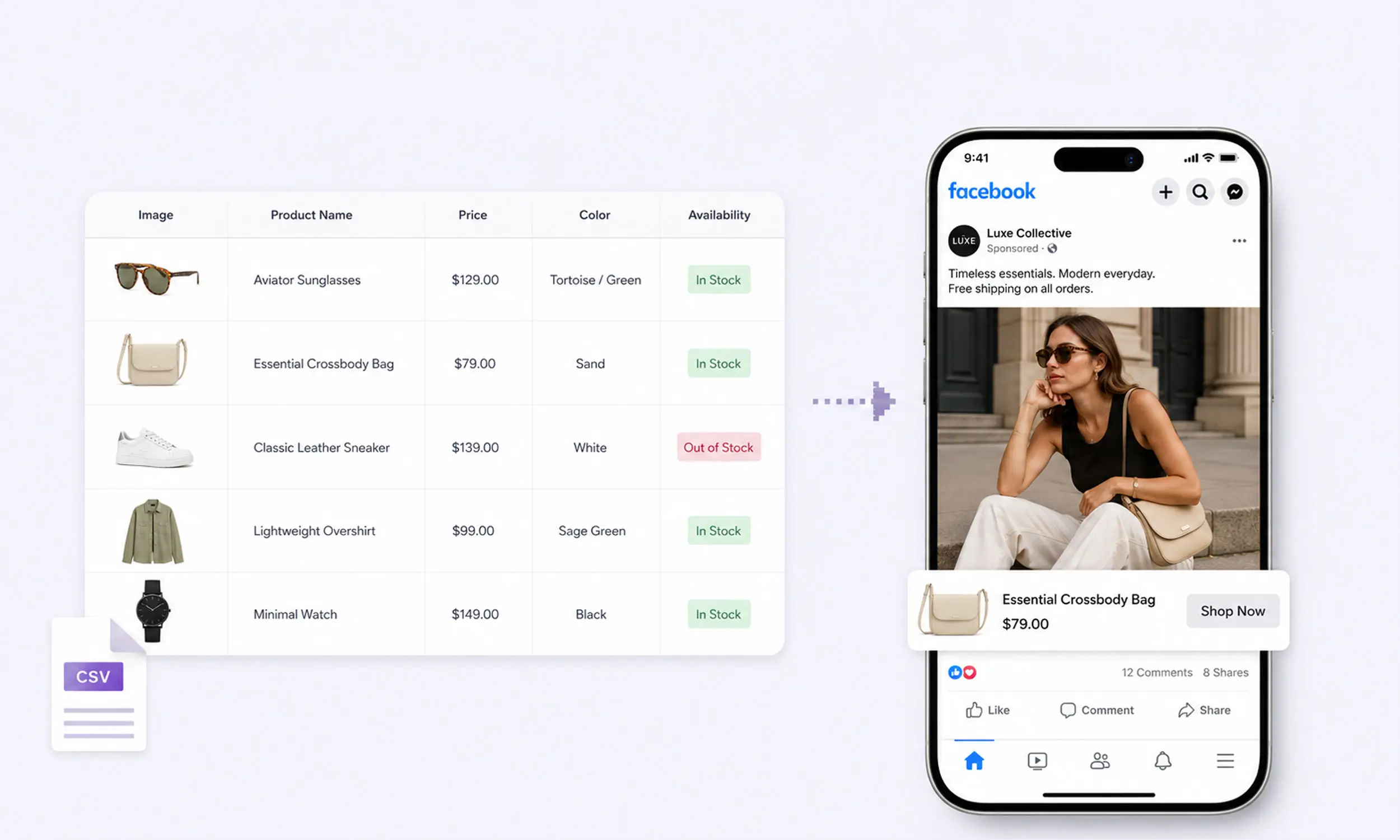
Everything Meta can do with your products - catalog ads, Shops, dynamic retargeting - is limited by what's in your product feed. A missing field means a rejected product. A wrongly formatted price means an error you'll find a week later. A title that's too long truncates in every ad it appears in.
This is the reference for building that feed correctly in 2026: the exact required fields, the optional ones worth filling, formats, limits, and delivery. It's the Meta-specific companion to our product feed management guide.
The required fields
Meta's current product data specification requires nine fields for every product:
id- your SKU. Unique, case-sensitive, max 100 characters. This must exactly match the content IDs your Meta Pixel sends, or dynamic ads can't connect browsing behavior to products.title- max 200 characters, but keep it under 65 so it doesn't truncate in ads.description- max 9,999 characters, plain text only. No HTML, no all-caps, and it can't just repeat the title.availability-in stockorout of stock. Out-of-stock products are excluded from ads automatically (they can stay visible in Shops marked "sold out" for up to 56 days).condition-new,refurbished, orused.price- the strictest field: a number, a space, and the ISO currency code, like34.99 USD. No currency symbols, no comma decimals, one currency per file.link- the product page URL, starting with http:// or https://.image_link- JPEG or PNG, minimum 500 x 500 pixels, under 8 MB.brand- max 100 characters. GTIN and MPN are optional but recommended where they exist.
Two of these cause most rejections: price (formatting) and image_link (size or accessibility). If you validate nothing else before upload, validate those - the full rejection catalog is in product feed errors.
Optional fields that actually matter
The spec lists dozens of optional fields. These are the ones with a direct effect on ads:
sale_priceandsale_price_effective_date- put a genuine lower promotional price insale_price; add the ISO-8601 effective-date range when the promotion has a scheduled window. Keep the base price as the regular price.item_group_id- groups size and color variants of one product. Case-sensitive, and it must not collide with any productid.additional_image_link- up to 20 extra images per product (most guides still say 10; the current spec allows 20). Meta recommends at least 4 images for carousel and Shops experiences.video[0].urlthroughvideo[19].url- up to 20 product videos, direct download links, max 200 MB each, 4:5 recommended. Test product video where motion communicates fit, function, or detail better than a still image.google_product_categoryandfb_product_category- taxonomy values that improve delivery and are required for some commerce features.color,size,gender,age_group,material- variant attributes that power filtering and matching.custom_label_0throughcustom_label_4- free-text segmentation slots (100 characters each).internal_label- the field Meta now recommends for filtering product sets instead of custom labels, because editing custom labels re-triggers policy review on affected products and can pause their delivery mid-campaign.
That last distinction is worth restating: use custom_label_* for values you want available to ad creative, and internal_label for segmentation you expect to change often.
Formats, limits, and delivery
Meta accepts five feed formats: CSV, TSV, XLSX, Google Sheets, and XML (RSS/ATOM). Practical notes per format:
CSV/TSV - the default choice. Quote fields that contain commas or line breaks; unescaped punctuation is the top cause of "incorrect number of columns" errors.
Google Sheets - the feed must be on the first tab, shared as "anyone with the link".
XLSX - supported now; older documentation predates it.
Limits: 100 MB for one-time uploads, 4 GB for scheduled feeds, around one million items per feed recommended, and 5 MB per row. Compress large files as ZIP or GZIP.
Use a scheduled feed, not manual uploads
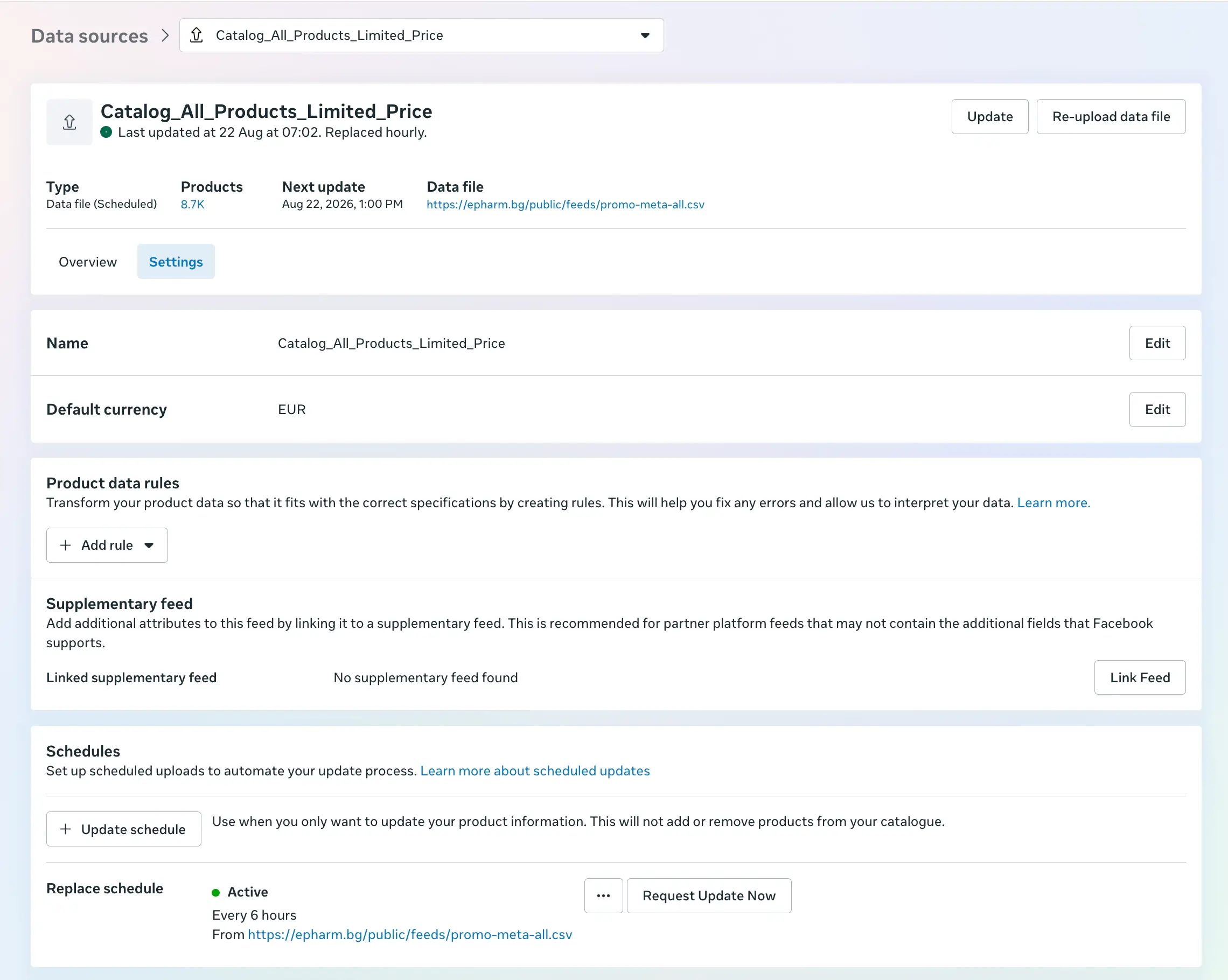
In Commerce Manager, feeds live under Catalog → Data sources. For anything beyond a first test, host your feed at a URL and let Meta fetch it on a schedule - hourly, daily, or weekly, from https://, http://, ftp://, or sftp://.
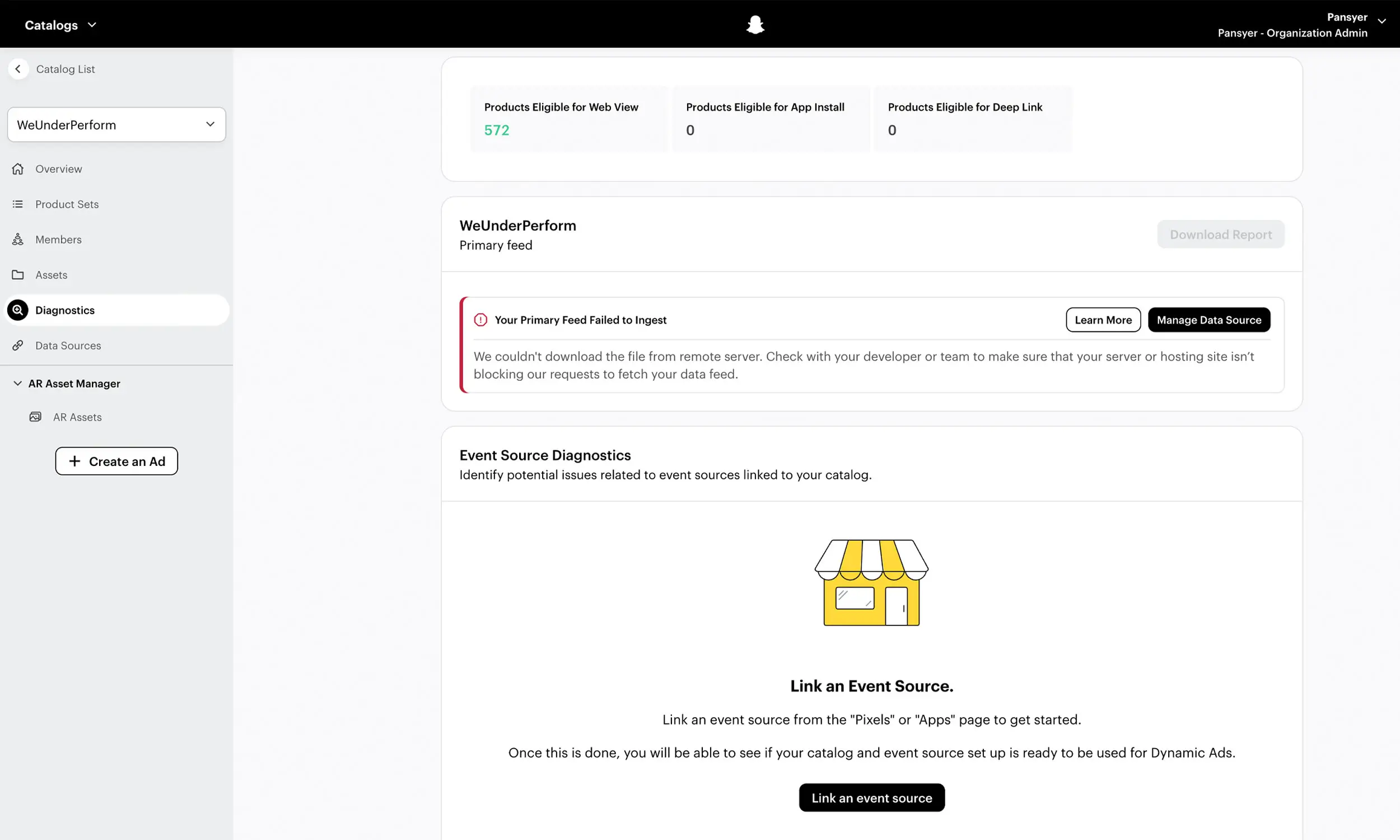
One operational warning: schedules that fail repeatedly get paused, and they stay paused until someone resumes them in the feed settings. Pair scheduled fetch with an alert on fetch failures, or a broken URL can silently freeze your catalog.
Supplementary feeds
A supplementary feed is a second file, matched to your primary feed by product id, that overrides specific fields - the clean way to layer improved titles, category values, or labels on top of a feed you don't fully control (like a platform-generated export).
Know the boundaries: one supplementary feed per primary feed, it can't add or delete products, and it can't change price, sale_price, availability, or quantity. Those must come from the primary source.
Images: the field that breaks quietly
Three image rules cause a disproportionate share of catalog problems:
Minimum 500 x 500 pixels, JPEG or PNG, under 8 MB - with 1024 x 1024 recommended for Shops per Meta's image specifications.
Changed images need a new URL. Meta does not re-fetch an image that changes at the same URL - it keeps serving the cached one. Version your image URLs (
/img/sku123-v2.jpg) whenever creative changes.Carousel cards should share one aspect ratio - all 1:1 or all 4:5 - or Meta may auto-adjust every card.
Keep the feed's images clean product photography, and do your promotional design - prices, badges, campaign backgrounds - as separately rendered ad creative. That's the approach covered in catalog ad design, and it's what keeps one image pipeline from contaminating another.
Setting up the feed, step by step
Generate the file from your store with the nine required fields, valid prices, and stable IDs
Check ID consistency with your pixel: the
idcolumn must match thecontent_idvalues your ViewContent, AddToCart, and Purchase events send - case-sensitivelyHost it at a stable HTTPS URL
In Commerce Manager, create a catalog → Data sources → add your feed URL with a daily (or faster) schedule
Review the first ingestion's issue report - Meta reports errors per upload session, so the first sync tells you exactly what to fix
Build product sets (bestsellers, sale, high-margin) using
internal_labelfiltersSet an alert cadence: fetch failures immediately, item-level errors weekly
Turning the Meta feed specification into a workflow
Flow's catalog engine turns this field specification into an operating workflow: map the source attributes once, validate required values and formats, preview products, and monitor the catalog before it reaches Meta. Commerce Manager still decides final acceptance, so its diagnostics remain part of every publish check.
Once the feed is stable, the same product fields can supply template-rendered ad creative. That keeps the catalog as the source of truth while letting the advertising layer carry the brand treatment.
FAQ
What fields are required for a Facebook product feed?
Nine: id, title, description, availability, condition, price, link, image_link, and brand. Validate price formatting (34.99 USD) and image requirements (500 x 500, JPEG/PNG, under 8 MB) explicitly; both can block products when malformed.
What format should the price field use?
A number, a space, and the ISO 4217 currency code: 34.99 USD. No currency symbols, no comma decimals, and only one currency per feed file.
How often does Meta fetch a scheduled feed?
On the schedule you set - hourly, daily, or weekly. Daily is the practical minimum for stores with changing prices or stock; repeated fetch failures pause the schedule until you manually resume it.
What's the difference between custom labels and internal labels?
Both segment your catalog, but editing custom_label_* values re-triggers policy review on those products. Meta recommends internal_label for product-set filtering you'll change regularly.
Can I update some fields without regenerating the whole feed?
Yes, with a supplementary feed matched by product ID - useful for titles, categories, and labels. It can't change price, availability, or quantity, and can't add or remove products.
Final thoughts
A Facebook product feed is a contract: nine required fields, strict formats, and a handful of quiet rules - new URLs for changed images, case-sensitive IDs that match your pixel, one currency per file. Get the contract right once, put it on a schedule with monitoring, and the catalog becomes infrastructure you stop thinking about.
Then the interesting work starts: turning accurate data into creative that doesn't look like everyone else's.


Join The Newsletter
Stay ahead in catalog advertising
Get practical guides, product updates, new templates, and best practices for Dynamic Product Ads, creative automation, and ecommerce marketing.
On this page
Related articles



Launch catalog ads with ease
Ready to launch better catalog ads?
Turn product catalogs into publishing-ready creatives in minutes.